PDFMaple PDFMaple

PDF to Excel: extract data from PDFs (best practices)

By the PDFMaple team · PDF productivity specialists · Ottawa, Canada
Reviewed for workflow clarityUpdated:
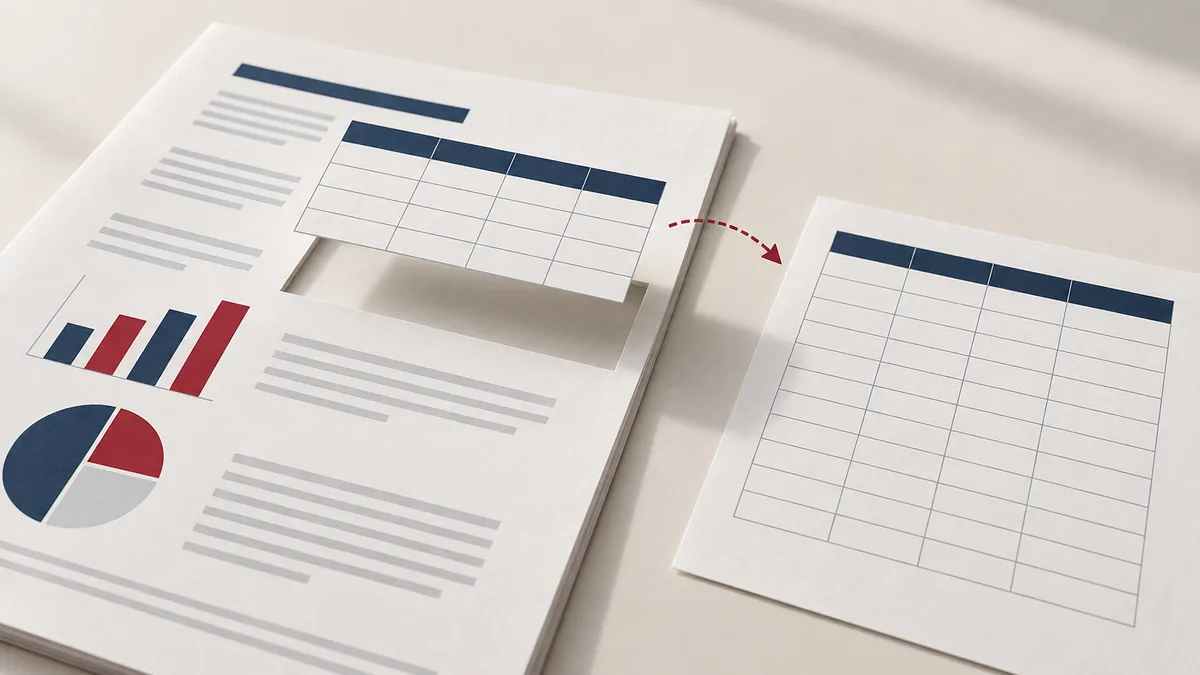
PDF to Excel: extract data from PDFs (best practices) — PDFMaple blog illustration

Need to PDF to Excel and don’t want to wrestle with print dialogs or heavyweight desktop software? You can handle it directly in your browser. With PDFMaple’s PDF to Excel tool, you upload your file, choose a couple of options, and download a polished result in minutes.

Below you’ll find a practical workflow, along with tips and FAQs to help you avoid the most common mistakes when you PDF to Excel.

Try it now: PDF to Excel — Ready to PDF to Excel? Open the tool, upload your file, and download a clean result.

When to use PDF to Excel

  • Pull numbers from a PDF report into a spreadsheet.
  • Extract simple tables from invoices or statements.
  • Convert PDF-exported data into XLSX for analysis.
  • Create a starting point for cleaning and reformatting data.

Step-by-step: PDF to Excel in PDFMaple

  1. Open PDF to Excel and upload your PDF.
  2. Run the tool to export an XLSX spreadsheet (often one sheet per page).
  3. Download the XLSX and review cell alignment.
  4. Clean up columns/rows in Excel if the source layout was complex.

Try PDF to Excel

Pro tips for better results

  • This feature is best on text-based PDFs with clear table structure.
  • If the PDF is scanned, you may only get limited results (images aren’t tables).
  • Try extracting only the pages containing tables to improve accuracy.
  • If values look shifted, increase the clarity of the source (repair first, or use a higher-quality PDF).

Real-world use cases for PDF to Excel

Most problems in this workflow appear after the file leaves your screen. A good outcome here is a workbook where the table structure is usable enough to sort, filter, and continue working.

Business and operations

Teams often extract invoice lines, schedules, or report tables from PDF into Excel so the data can be sorted and analyzed. That keeps everyone reviewing the same page set in the same order instead of guessing which attachment is the final one.

Student projects

A student may want a PDF table in spreadsheet form for charts, calculations, or comparison with other data. That helps the instructor or portal see the exact pages you intended, without missing sections or duplicates.

Legal and admin work

Administrative staff often need tabular data from forms, logs, or statements without retyping every line manually. That creates a cleaner record because the shared copy matches the scope and order you meant to send.

Freelancer delivery

Freelancers can save time by pulling project schedules, budgets, or inventory-style tables from a PDF into Excel for quick revision. That reduces follow-up because the client gets one tidy file instead of a package that still needs sorting.

Personal paperwork

People also use PDF to Excel for account summaries, expense records, or any document where the numbers matter more than the original layout. That makes the document easier for another person to review because the right pages are together and the extras are gone.

Expert tips that save rework

Page-management tasks create rework when selection, order, or scope are rushed. With pdf to excel: extract data from pdfs (best practices), the smartest check is the boring one: confirm that the right pages landed in the right sequence before anyone else opens the file.

  • Use the clearest table source available: A sharp text-based PDF converts better than a heavily compressed scan. Start with the cleaner source if you have one.
  • Expect cleanup on merged cells: Tables that look elegant in PDF often become awkward in Excel when merged cells, wrapped text, or multi-row headers are involved. Plan a quick cleanup pass.
  • Check column alignment before totals: A conversion that shifts one column can make all later calculations misleading. Verify the structure before you trust the numbers.
  • Split oversized PDFs first when needed: If the file has one useful table and forty unrelated pages, extracting the relevant section first can make the Excel result easier to manage.
  • Treat the spreadsheet as imported data, not final truth: Imported numbers still need review. The value of the workflow is speed, but reliability comes from checking the result.

If you only have time for one review, check merged cells, column alignment, currency formats, and row breaks. That is usually the point where a rushed handoff creates avoidable back-and-forth.

Is it safe to upload your files?

Questions about converting PDF to Excel usually come down to three things: encryption in transit, how long the files exist on the service, and whether the provider does anything with the contents beyond the job you requested. PDFMaple processes uploads and downloads over HTTPS/TLS, so the transfer itself is protected while the task runs. That is the practical baseline people want when the documents include things like reports, invoices, statements, shipping tables, and recurring tabular PDFs. This matters even more in extract tables cases, where small workflow mistakes are easier to miss.

Once the output is created, the uploaded files and generated results are meant to be removed automatically, and PDFMaple does not use document contents as a data asset to sell or retain. The detailed policy is in the Privacy Policy. That matters most for files such as reports, invoices, statements, shipping tables, and recurring tabular PDFs.

Online tool vs desktop software — which should you use?

An online workflow is usually the better choice when the task is short, you do not want to install anything, or you are away from your usual machine. It is especially convenient on shared computers, on mobile, or when you only need this exact job once. For converting PDF to Excel, that usually means an online tool is enough when the task is occasional and deadline-driven. That is especially true when the job is extract tables rather than a broad recurring workflow.

The desktop route is stronger when you need OCR-heavy extraction, big data jobs, and controlled offline processing. For routine document chores, though, the lighter online path is often the more sensible choice because it gets you to the output faster.

Online tools are a better fit for:
  • One task, one result, no install
  • Useful on shared or borrowed devices
  • Quick enough for phone and tablet work
  • Good when the file just needs to move forward
Desktop software is a better fit for:
  • Complex editing beyond the immediate task
  • Managed enterprise or compliance setups
  • Heavier production workflows
  • Situations where local-only control is required

Frequently asked questions

Is PDF to Excel always accurate?

No. PDF isn’t a native spreadsheet format, so extraction depends on how the PDF was created. Simple tables work best. Open the final file and scan the thumbnails from start to finish so you catch any page-order or scope mistake before sharing it.

How can I improve results?

Use cleaner PDFs, extract only relevant pages, and avoid scanned images when possible. Open the final file and scan the thumbnails from start to finish so you catch any page-order or scope mistake before sharing it.

What if I need images or charts?

Charts often don’t convert to data. Export pages as JPG for visuals, or use the original Excel if available. Open the final file and scan the thumbnails from start to finish so you catch any page-order or scope mistake before sharing it.

What kinds of PDFs convert best to Excel?

Text-based PDFs with clear tables and consistent columns usually convert best. Scans, merged cells, and complex layouts are harder because the converter has to infer structure. Cleaner input almost always produces cleaner spreadsheets.

Why does PDF to Excel need cleanup afterward?

Because PDF is a page-display format, not a native spreadsheet structure. When a table uses wrapped text, merged cells, or irregular spacing, the converter has to guess where rows and columns belong. Cleanup is normal and does not mean the workflow failed.

Should I extract the table pages before converting PDF to Excel?

Often yes, especially if the PDF is long and only a few pages matter. A smaller, more focused input makes it easier to review the Excel result and reduces the clutter you have to clean up.

What to do next

After converting PDF to Excel, the next step is usually cleanup in Excel, reusing the data, or exporting a new report. The links below cover the most common follow-up moves for this workflow.